
What are client contributions
Client contributions will replace legacy contributions that Members have previously been required to pay under Home Care Packages (HCP). These include the Basic Daily Care Fee (BDF) and assessed Income Tested Care Fees (ITF).
Under Support at Home, client contributions will be tiered by service type (current at November 2025).
|
Service type |
Full pensioner |
Part pensioner |
Self-funded retiree |
|
Clinical |
0% |
0% |
0% |
|
Independence |
~5% |
5 – 50% |
Up to 50% |
|
Everyday living |
~17.5% |
17.5 – 80% |
Up to 80% |
Contribution rates depend on Members individual financial circumstances (income, assets, pension status) and will be assessed by Services Australia.
Tip: You can read more about Client contributions by visiting the Department of Health, Disability and Ageing’s website.
Where to view client contributions
Once Services Australia have completed their assessment, they will advise both the Provider and Member via letter. The information will also be updated in Aged Care Provider Portal (ACPP). If you have connected your Lookout instance with the ACPP via PRODA, these percentages will automatically flow into your instance as part of the overnight sync.
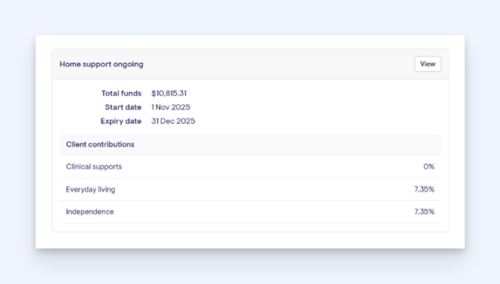
You can view the current client contribution percentages on a Members Dashboard under Home support ongoing:
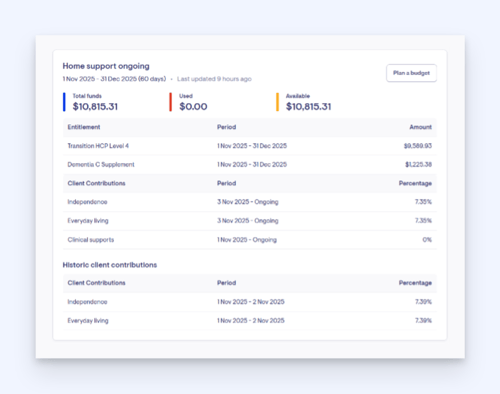
To view historical client contribution percentages, select View in the Home support ongoing table. They appear in the Funding sources tab:
How client contribution charges are created
If a Member is assessed as needing to contribute to their services, Lookout will use a combination of the known information (via the ACPP APIs).
Populating client contributions
When you complete a Billing run, each completed service will become a Lookout invoice and produce multiple attributes including:
- ‘Estimated’ government payment amount
- ‘Estimated’ client contribution amount
Please note: You will not see the word ‘estimate’. The attributes will reflect the actual amount as we understand them at the point of publishing. They may change once we receive confirmation from Services Australia.
When the payment statement is received, these lines will be ‘confirmed’. Once confirmed and the payment statement is processed, client contribution lines will be visible in the Client contributions account (SAH) as transactions.
Invoicing timeframes
Lookout is unable to advise you when you should invoice Members.
We have however identified that providers use different methods to manage Client Contributions, depending on their preferences, risk appetite, and whether they bill Members using estimates or actual amounts. Below is an overview of the three main approaches, including how they work and the pros and cons of each.
1. Estimates from the budget
Providers base contributions on the Member’s budget and forecast the annual amount.
How it works
- Review the Member’s budget to determine an estimated yearly contribution.
- Set up regular ongoing payments (e.g., via direct debit).
- Reconcile the account every 3–6 months and adjust if needed.
Pros
- Predictable and stable payment amounts.
- Smooth, ongoing direct debit arrangements.
- Higher confidence that Members will continue paying regularly.
Cons
- Requires periodic review to correct any over- or under-charging.
2. Using Service-Based Estimate Invoices
Client Contributions are estimated after each service is delivered.
How it works
- Service is delivered.
- An estimated contribution amount is calculated and invoiced.
Pros
- Greater confidence in Member payment, as invoices are issued more frequently.
- Earlier and more regular billing.
Cons
- Adjustments may be required once actual amounts from Services Australia are confirmed.
- Invoice amounts can vary each cycle.
3. Using Actual Amounts
Client Contributions are based solely on confirmed amounts from Services Australia.
How it works
- Service is delivered.
- Contribution amount is confirmed by Services Australia before invoicing.
Pros
- No adjustments are needed later.
- Billing reflects true, accurate amounts every time.
Cons
- Invoices may be issued in significant arrears.
- If multiple services are provided, a large deficit may accumulate before discovering a Member cannot or will not pay.
- Invoice amounts may vary each cycle.
Client contribution exports
Client contribution information, including both estimated and actual invoice lines, as well as monthly totals, can be extracted using the Data Exporter.
Reports can be created and formatted to meet your finance system’s requirements. For more information on Data exporter, please refer to our Data Exporter article.
Extracting individual invoice lines
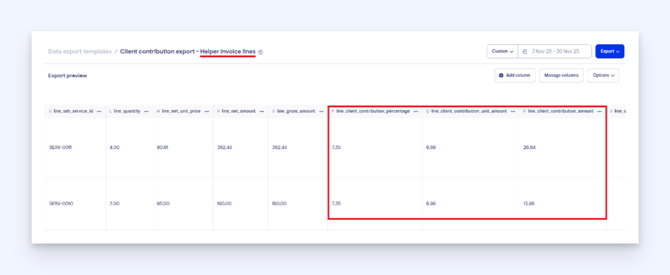
Individual invoice lines are available in the Member Invoice and Helper Invoice tables. Client contribution attributes can be used to identify and extract the required data.
For confirmed client contribution lines, the Transactions tables provide all finalised information and will continue to function as they do today.
Extracting a monthly total
A report can also be configured to extract a total of all client contribution charged in a month. This report filters Support at Home client contribution accounts and sums any new charges accrued between selected dates. It highlights how much client contribution each member has accrued for a given month, excluding any amounts already paid.
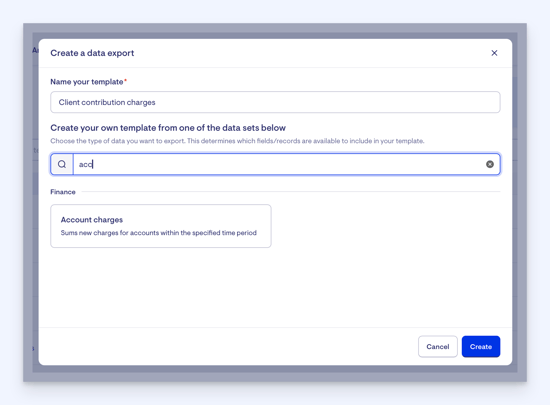
When in Data exporter, click + New data export template.
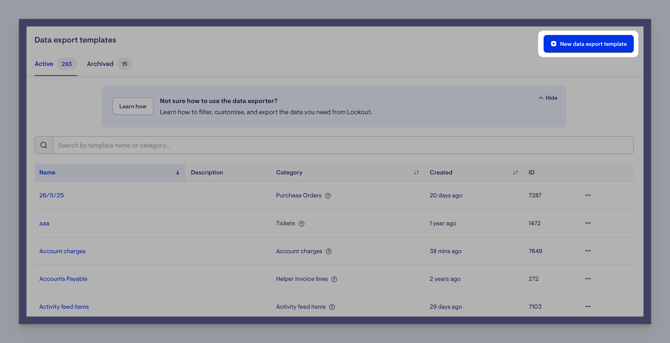
A list of data sets will appear. Use the search feature and start typing ‘Account charges’ to find. Alternatively, scroll to the Finance data sets and click Account charges. Don’t forget to name your template also.
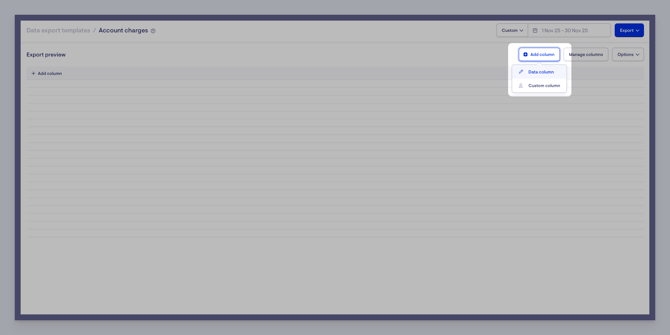
A new screen will load where you can start to filter your required information. Click the + Add column button, then Data column from the dropdown on the right-hand side of the screen.
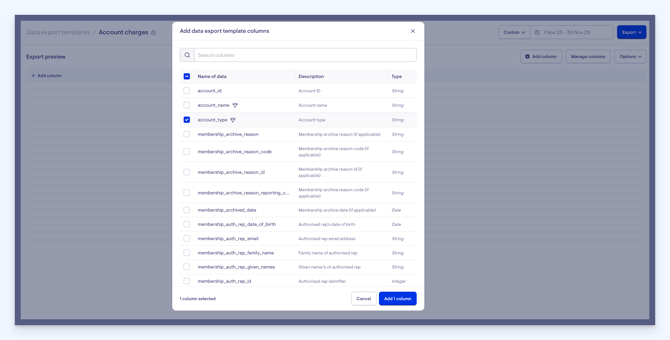
We are going to add a few data columns here from the list – account name, account type, membership name and total charges.
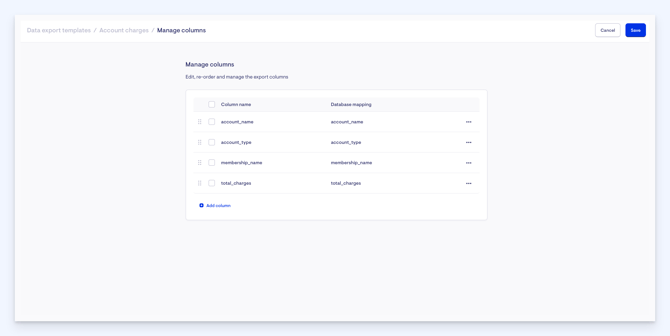
Organise the column in whichever order suits you best by using the Manage columns button.
We’re then going to set a filter on the Account type column. Click the ellipsis in the account type column header and select Filters.

We want to set the filter as if the account type is equal to Finance::SAH::ClientContributionAccount
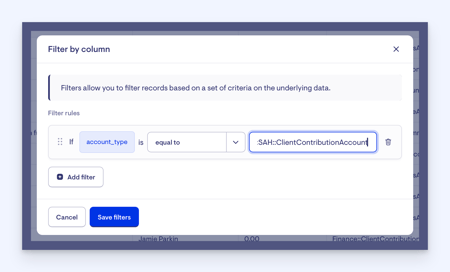
This will then filter to only show the client contribution results. Feel free to copy the name from this article to add into the filter window quicker.
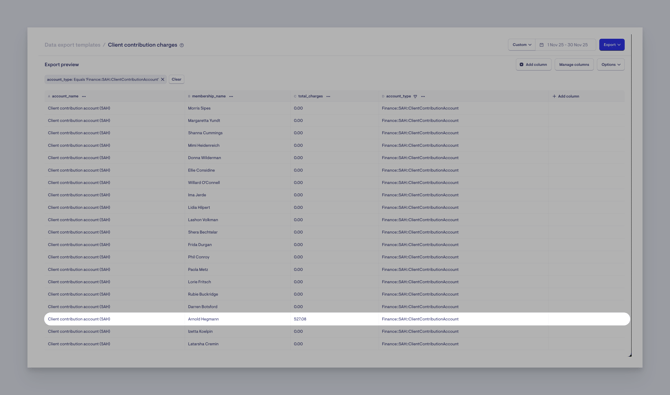
Amounts can be verified by reviewing the charges applied to their account during that month.
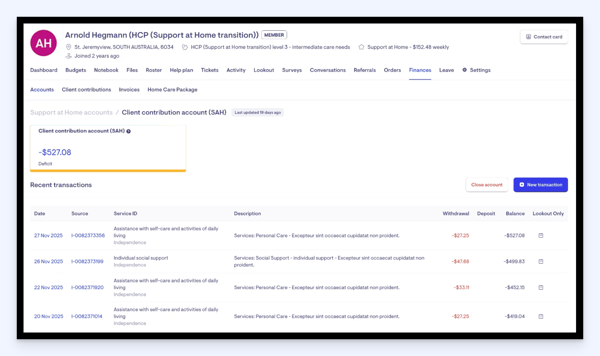
The purpose of this report is to provide a clear, month-by-month overview of client contributions.
Reflecting Member payments in Lookout
We are envisioning Lookout will reflect your finance system and show a Members account receivable position. For best practice:
- Leave outstanding contribution amount showing in Lookout
- Extract to your finance system and issue invoice to Member
- Receive payment from Member, document in finance system
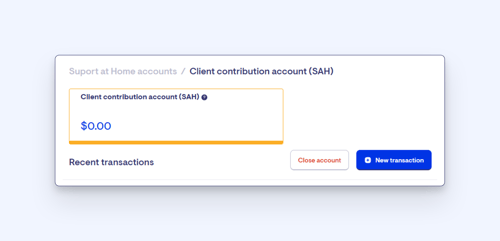
- Extract payments from finance system, import to Members’ Client contribution account in Lookout
- This can be done through an Account transaction import
- You can create individual transactions in a Member’s account
FAQs
How can I extract information – Estimates from budget?
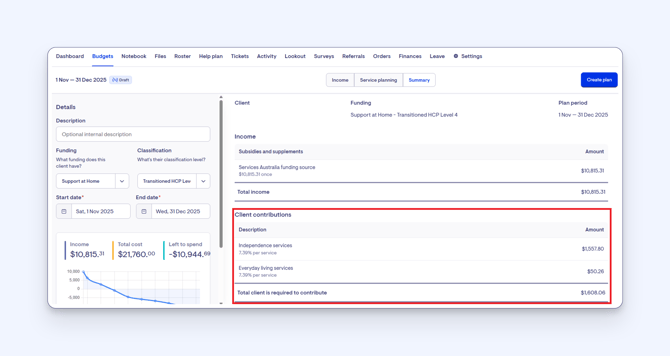
Information based on budget plans can be accessed through the Service Planning Summary, where all budget-related estimates are visible. These details can also be captured and reported using custom attributes if additional reporting or tracking is required.
Can I just use the Account balance for my monthly export?
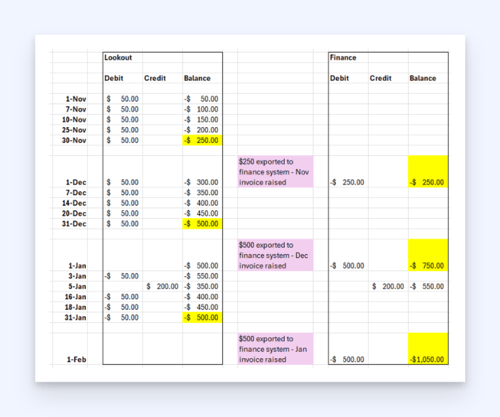
You will run the risk of compounding your accounts receivable balance in your finance system and overcharging your Member.
Where can a Member view statements?
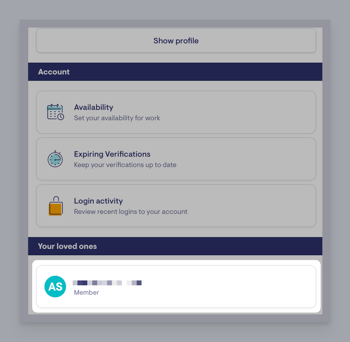
Members can view statements in within the Care app. To do so, log into the Care App and click your name in the top corner to open your account information and settings.
Scroll down to the Your loves ones section and select a name if more than one appears.
Now you are in the Member’s main profile section within the Care App, scroll to Account and press/ click to open.
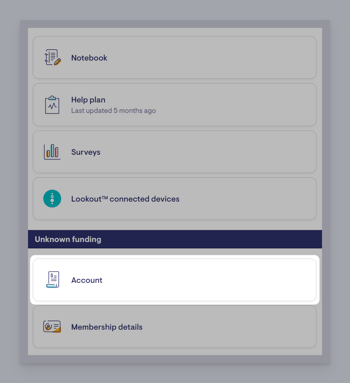
You will see near the top of the next loaded screen a button labelled Statements – click this.
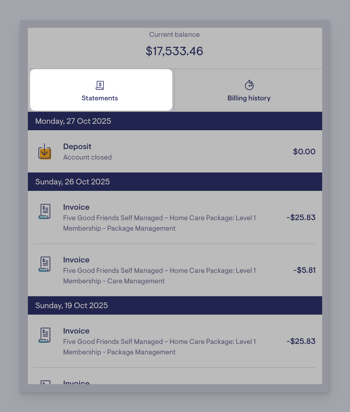
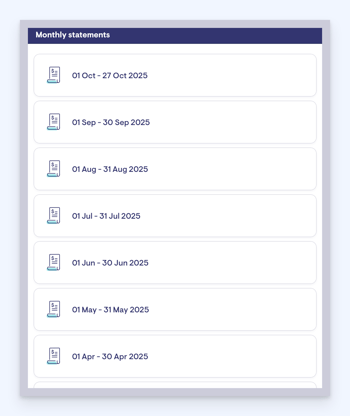
Here, you will now see all of the Member’s monthly statements and can click on any to load and review.
When looking at Support at Home (transition) members, why do some show the client contribution amount as 0%, and some do not show it at all?
Some client contribution details are currently missing due to gaps in the data being returned through the current Services Australia process. Currently, Lookout is set up with the following logic:
- We check whether there are any current or upcoming client contributions for the funding source.
- If contribution information is returned, we display it.
- If no contribution information is returned, nothing is shown.
It is also possible that the income assessment hasn't been completed. This would mean that Services Australia will interpret 'no row' as 0%, but in the case of initial entry, will backdate the contribution % to the date of entry once determined.