
Your success is our priority, and we are dedicated to ensuring continuity and support as you utilise Lookout day-to-day. That’s why we offer ongoing, day-to-day support designed to help you stay productive, confident, and in control.
Help Centre
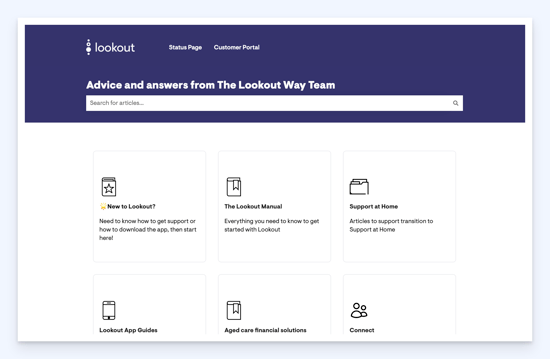
The Lookout Way Help Centre is your go-to resource on utilising Lookout. It is continually updated with new articles and information as the product evolves.
Some example articles include:
The support hub can be found at support.thelookoutway.com
Lookout 101
Lookout 101 is your self-service training hub. Your team will retain access to training modules that cover Lookout's functionality, both as a refresher and an educational tool for new team members who join. You can add new team members as they join your organisation. Access Lookout 101 at lookoutway.learnupon.com.
Roadmap and releases
You'll be able to see what we're currently working on, what's coming up next quarter, and how to submit new ideas.
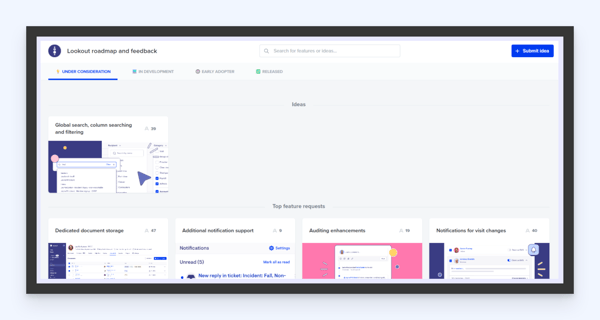
You can also give us brand new ideas, including telling us how important they are to you. We appreciate your feedback, as it helps us understand which aspects are most important to you, our customers.
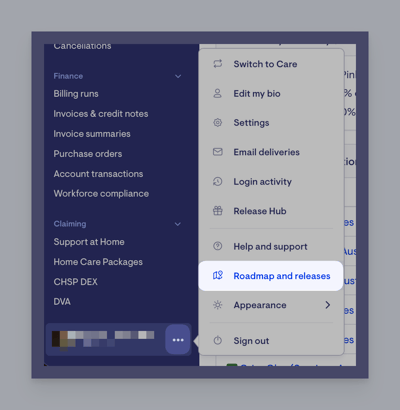
You can access ‘Roadmap & releases’ from Lookout by clicking on the ellipsis next to your name.
Status updates
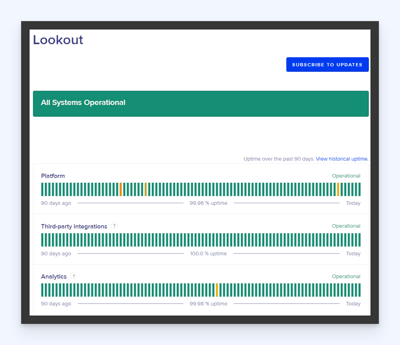
Be sure to subscribe to status updates of the Lookout platform to be automatically notified of any incidents or issues impacting services. You can sign up at status.thelookoutapp.com.
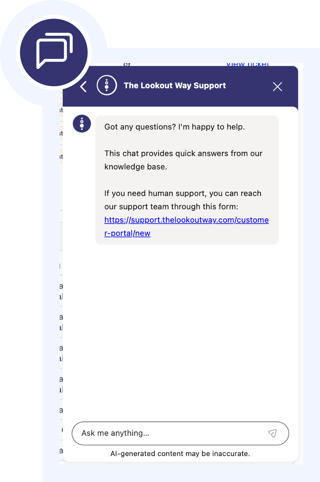
AI Chat
Our AI guided chat bot will respond to all queries instantly, offering suggestions from our Help Centre articles. This is found on the bottom right of the Lookout Admin App.
Submit a Support Ticket in the Customer Portal
You can submit a support request by going to and clicking on File a Support Ticket.
support.thelookoutway.com/customer-portal
We suggest an internal escalation process to ensure your team are raising questions with you initially.
The customer portal lets you view, respond to and close your support tickets. It will also allow you to see tickets opened by other members of your organisation.
Be sure to view our article on Accessing the Customer Portal for more information.